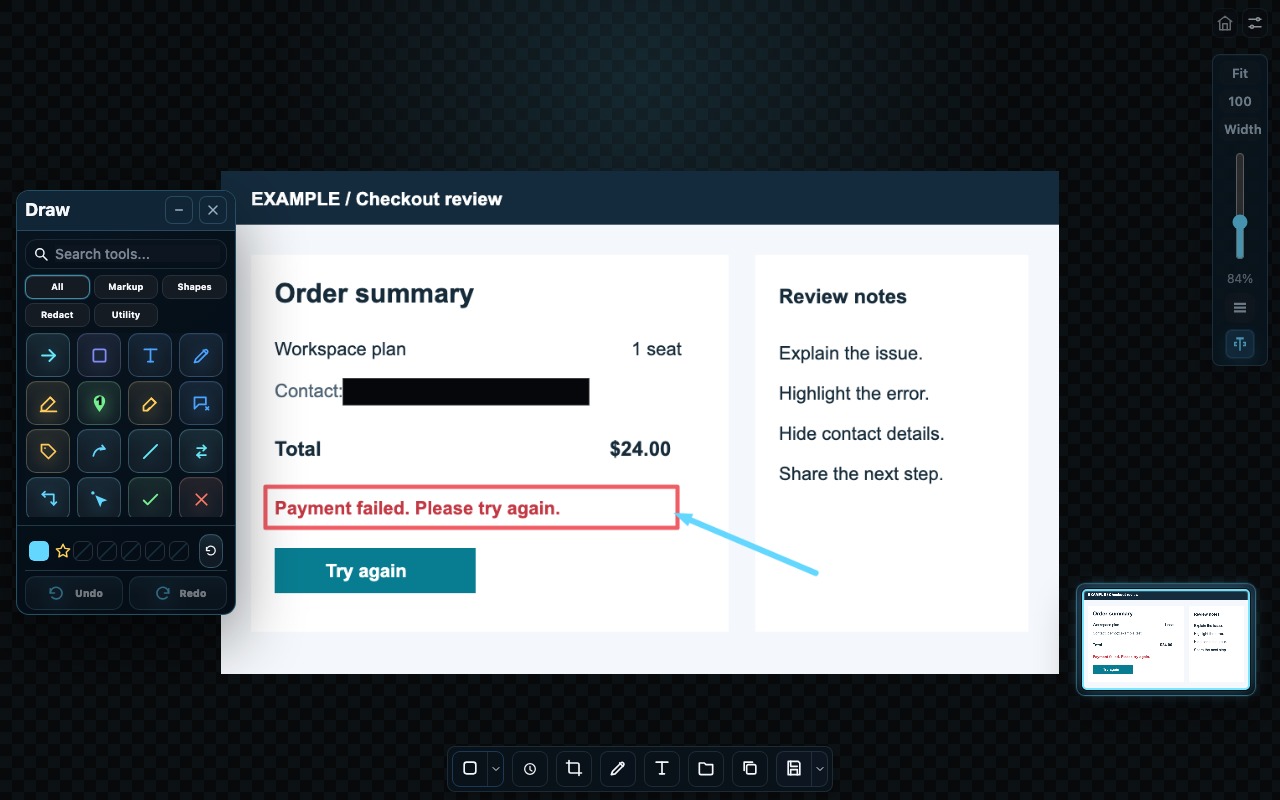
Annotate and redact
Point out what matters with arrows, shapes and text. Hide sensitive details before sharing.

1Snip
Turn screenshots into clear explanations, reusable text and organized visual notes.
Desktop Alpha for Windows and macOS
Make every snip useful
Point out what matters with arrows, shapes and text. Hide sensitive details before sharing.
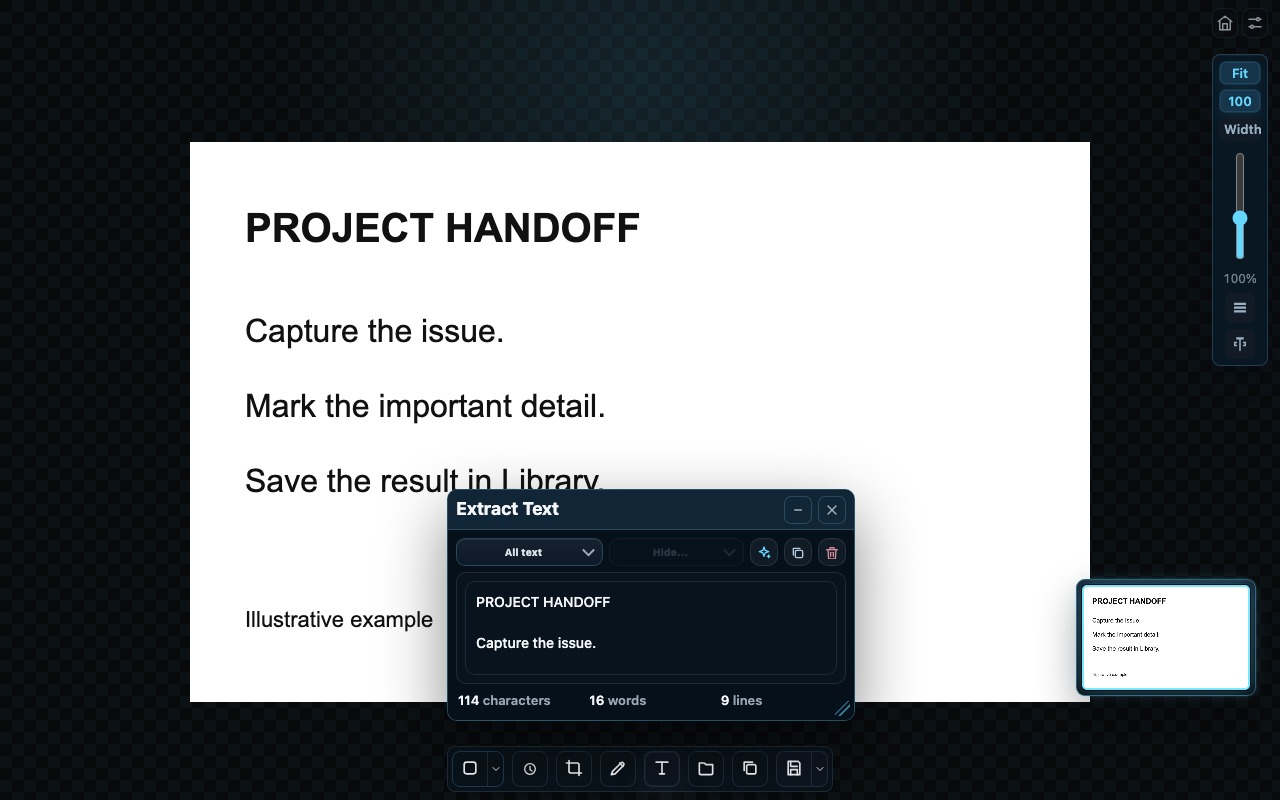
Turn text in an image into words you can copy, edit and reuse without retyping.
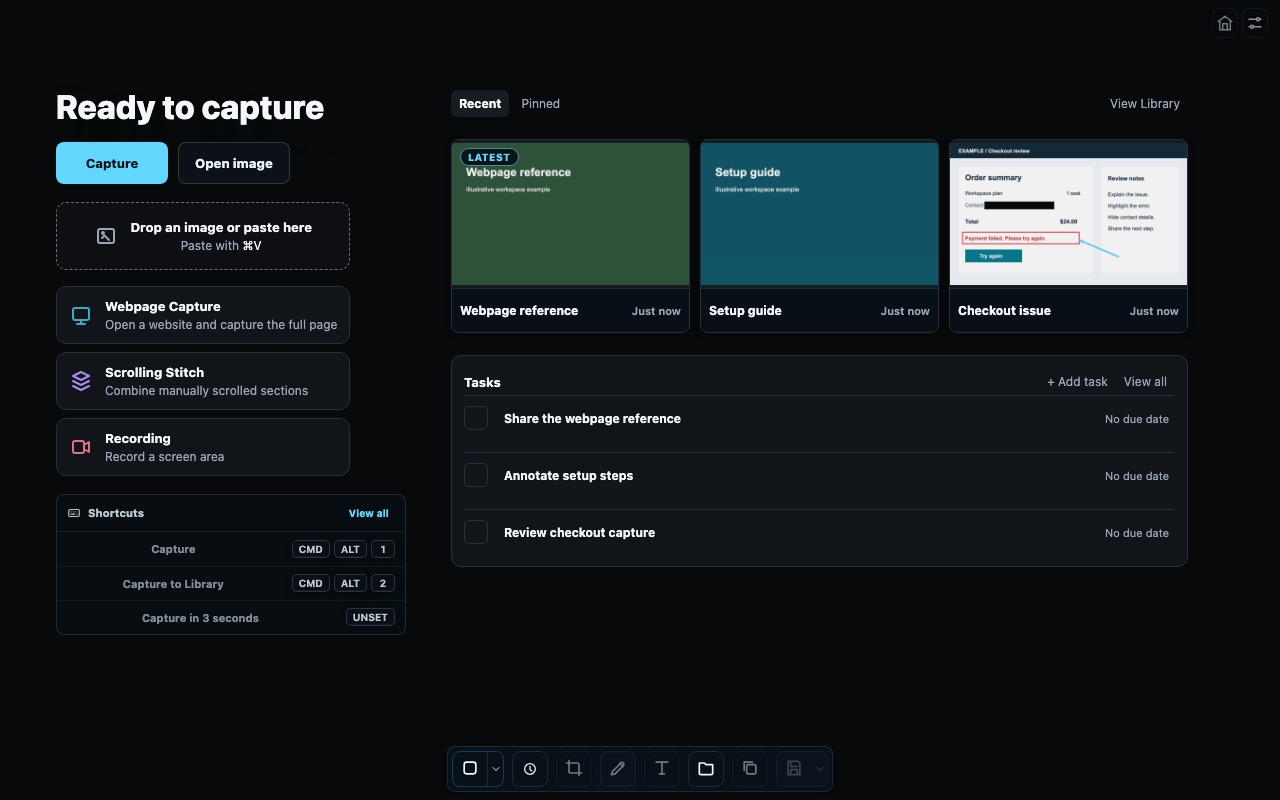
Keep useful captures, favorite the ones you need, and link tasks to your saved work.
Choose your workspace
Use the web app right away, or download the desktop app for additional capture tools.
| Feature | Web | Desktop |
|---|---|---|
| Image import, editing and annotation | Included | Included |
| OCR and redaction | Included | Included |
| Library and Tasks | Included | Included |
| Global capture shortcuts | Not available | Included |
| Webpage Capture, Scrolling Stitch and screen-area recording | Not available | Included |
Highlight the problem, add a note and share a clear example.
Mark the important steps so someone else can follow along.
Keep a useful reference, extract its text and find it later in Library.
Core capture and saved work stay on your device.
Start using the core workspace without signing up.